English
 简体中文
 VIETNAM-IMMI.ORG

Last Updated: Monday, September 27, 2026
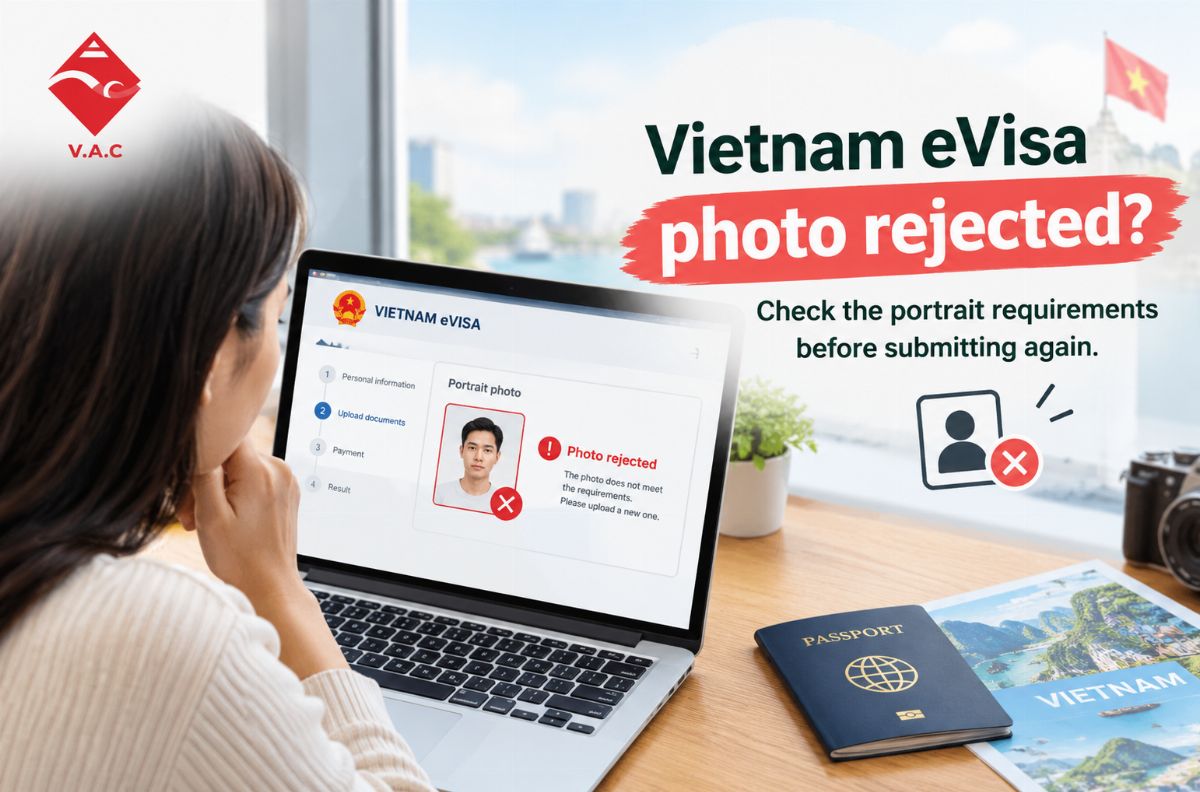
If your Vietnam eVisa photo is rejected or marked incorrect, do not immediately submit another application. First check the photo itself, including its size, format, background, face position, clarity, and editing. Then review your passport image and application details. If your application shows “Amendment Required,” identify exactly what needs to be corrected before submitting an update.
Key Takeaways
-
A Vietnam eVisa photo needs to meet the applicable portrait and file requirements.
-
Common problems include glasses, poor lighting, unsuitable backgrounds, blurry images, incorrect framing, and excessive editing.
-
Your portrait and passport biodata page are separate uploads and should be checked individually.
-
If the application shows “Amendment Required,” the problem may involve the photo, passport information, entry information, or another application field.
-
Do not repeatedly upload new photos without first identifying the actual problem.
-
If your flight is approaching, check your application status and available urgent options as early as possible.
What Are the Vietnam eVisa Photo Requirements?
Understanding the Vietnam eVisa photo requirements before uploading your documents can help you avoid many common application problems.
Vietnam-Immi.org's current guidance recommends a recent portrait photograph with a clear view of the applicant's face. The practical requirements include:
-
4 × 6 cm portrait
-
JPG/JPEG image format
-
File size within the applicable upload limit
-
Recent photograph
-
Looking directly toward the camera
-
No glasses
-
No hat or item covering the face
-
Clean white background
-
Clear and recognizable facial features
-
Appropriate, neat clothing
Source: Internet – Vietnam Immigration guidance.
For a more detailed preparation checklist, see the Vietnam-Immi.org guide:
Vietnam eVisa Photo Requirements
Your face should be clearly visible
The purpose of the portrait is to provide a clear representation of the applicant.
Your face should be:
-
Facing the camera
-
Properly centered
-
Clearly visible
-
Free from strong shadows
-
Sharp enough to identify
-
Not covered by hair or accessories
Avoid casual selfies taken from unusual angles.
A photograph may look good for social media but still be unsuitable for an immigration application.
Use a clean white background
A plain white background is the simplest option.
Avoid backgrounds with:
-
Strong colors
-
Patterns
-
Furniture
-
Other people
-
Visible objects
-
Heavy shadows
You do not need an elaborate studio setup. A simple, evenly lit background is usually easier to work with.
Remove glasses and unnecessary accessories
One common mistake is keeping glasses on because the applicant normally wears them.
For the Vietnam eVisa photo, use a photograph without glasses and make sure your eyes and facial features are clearly visible.
Hats and other accessories that cover or obstruct the face should also be avoided.
Why Was My Vietnam eVisa Photo Rejected?
There are several reasons why a Vietnam eVisa photo rejected situation can occur.
Sometimes the problem is the photograph itself. In other cases, the photo looks fine but another part of the application contains incorrect information.
The photo has the wrong size or format
Before uploading the image, check both its dimensions and file format.
Vietnam-Immi.org's current guidance recommends a 4 × 6 cm JPG/JPEG portrait and advises applicants to check the applicable file-size requirement before uploading.
A photograph taken on a modern smartphone can be much larger than necessary.
Instead of changing the original photograph, create a separate resized copy for your application.
Your face is positioned incorrectly
Your face should be looking directly at the camera.
Avoid:
-
Side profiles
-
Looking down
-
Looking upward
-
Tilted head
-
Extreme close-ups
-
Excessively distant portraits
-
Selfies taken from unusual angles
A simple, straight-facing portrait is easier to review.
Your glasses create glare
Even clear glasses can create reflections.
Glare can make your eyes or other facial features less visible.
For this reason, use a photograph without glasses whenever possible.
The background is unsuitable
A hotel room, bedroom, airport, outdoor location, or colored wall may not be suitable for a standard visa portrait.
A plain white background is the more practical choice.
The photograph is blurry
One common mistake is repeatedly compressing an image until the file becomes too small.
The result may technically meet a file-size requirement but become too blurry to clearly identify.
Start with a good-quality original and create a properly sized copy.
The photo has been edited too heavily
Photo-editing and AI tools can be useful for basic technical adjustments, but they can also change facial features.
For example, an AI tool may:
-
Reshape the face
-
Smooth the skin excessively
-
Change facial proportions
-
Alter the eyes
-
Create artifacts around the hair
-
Make the applicant look different from the passport
A recent, genuine portrait is a better starting point than an aggressively edited image.
Vietnam-Immi.org has also addressed problems involving AI-edited application photos and “Amendment Required” cases. (Vietnam Immi)
Is the Photo Really the Problem?
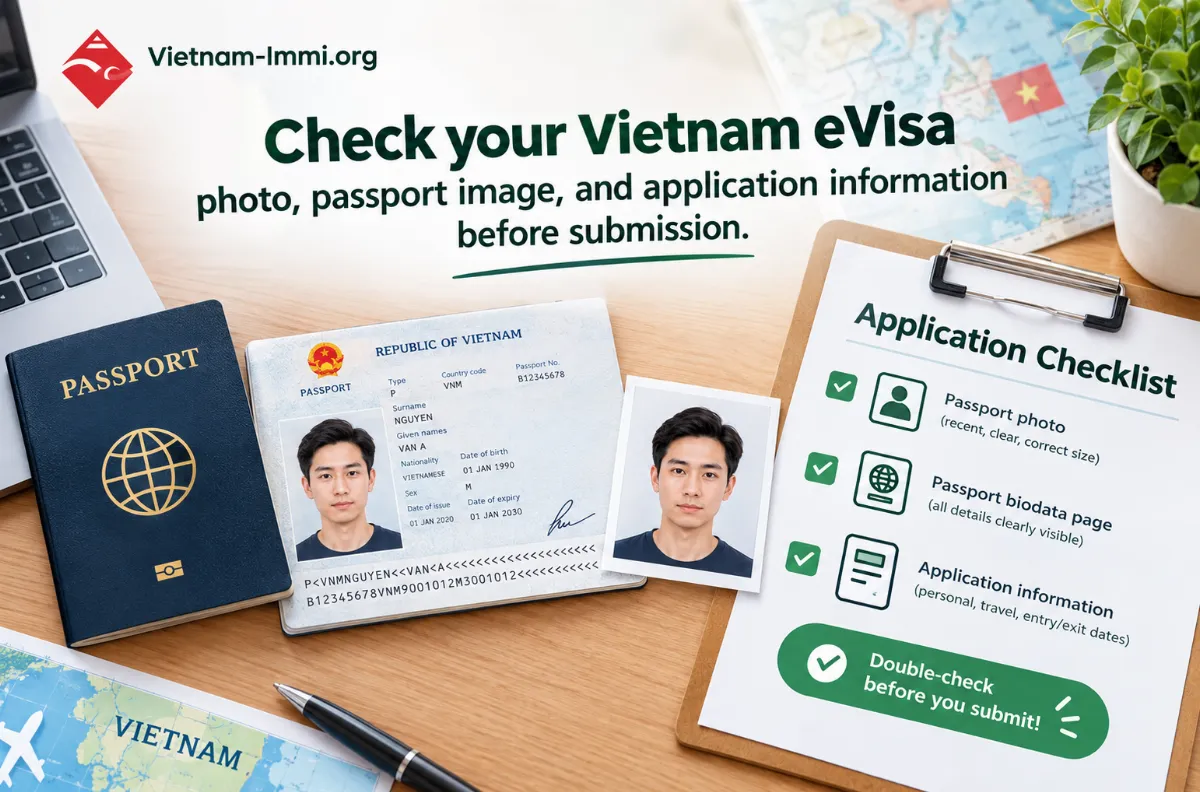
Not necessarily.
If your photograph looks correct, do not keep replacing it without checking the rest of your application.
A Vietnam eVisa application can also contain information such as:
-
Full name
-
Date of birth
-
Nationality
-
Passport number
-
Passport validity
-
Entry date
-
Intended entry port
-
Passport image
-
Contact information
If one of these details is incorrect, changing the photo will not necessarily solve the application problem.
Check your passport number
Compare the passport number in your application with the physical passport.
Check each character carefully.
Pay particular attention to characters that can look similar, such as:
-
0 and O
-
1 and I
-
Other letters and numbers that may be difficult to distinguish
Check your full name
Make sure your name corresponds with your passport.
Do not change the spelling simply because you normally use a different version of your name.
Check your date of birth
Compare the date of birth directly against your passport.
A simple day, month, or year error can cause an application issue unrelated to your photograph.
Check your entry information
If your application requires an amendment, review your intended travel information as well.
Check:
-
Entry date
-
Entry port
-
Other requested arrival information
How to Check Your Vietnam eVisa Photo Before Submission
Use this checklist before submitting your application.
Vietnam eVisa Photo Checklist
|
Check |
What to verify |
|
Recent photo |
Use a current photograph |
|
Dimensions |
4 × 6 cm |
|
Format |
JPG/JPEG |
|
Background |
Clean white background |
|
Face |
Clearly visible |
|
Position |
Looking straight at the camera |
|
Glasses |
Removed |
|
Hat |
Removed |
|
Image quality |
Clear and not excessively blurry |
|
Editing |
Avoid major facial alterations |
|
Passport image |
Correct biodata page |
|
Application details |
Match your passport |
If the portrait passes this checklist, move on to the rest of your application.
What Does “Amendment Required” Mean?
If your Vietnam eVisa application shows “Amendment Required,” it means that a correction or update is needed before the application can continue through the relevant process.
It does not automatically mean that the visa has been finally rejected.
The requested amendment could involve:
-
Portrait photograph
-
Passport image
-
Passport number
-
Name
-
Date of birth
-
Entry information
-
Other application details
What should you do?
Follow these steps:
1. Check the amendment request
Read the information associated with the application carefully.
2. Identify exactly what needs correction
Do not change unrelated information unless it is genuinely incorrect.
3. Prepare the correct document or information
If the portrait is the problem, take a new photograph rather than repeatedly uploading the same file.
4. Review the complete application
Check your passport information and travel details again.
5. Continue monitoring the application
Submitting an amendment does not necessarily mean the final visa decision will be immediate.
What Should You Do If Your Vietnam eVisa Photo Is Incorrect After Submission?
Your next step depends on the current application status.
If you have not submitted the application
This is the simplest situation.
Replace the photograph and review the entire application before continuing.
Do not only check the photo. Review:
-
Name
-
Date of birth
-
Nationality
-
Passport number
-
Passport validity
-
Entry date
-
Entry information
-
Passport image
If the application has already been submitted
Do not immediately create another application.
First determine whether the existing application is:
-
Still processing
-
Returned for amendment
-
Rejected
-
Affected by incorrect information
The appropriate next step depends on the actual status.
If the application says “Amendment Required”
Read the requested amendment carefully.
If the problem is the photograph, prepare a new compliant image.
If the problem concerns your passport number or entry information, changing the photo alone will not solve it.
Should You Submit a New Vietnam eVisa Application?
Not every Vietnam eVisa application error requires a new application.
Use this decision table:
|
Situation |
Recommended next step |
|
Application not submitted |
Replace the incorrect photo |
|
Photo upload fails |
Check format, dimensions, and file size |
|
Wrong portrait uploaded |
Replace it with the correct portrait |
|
“Amendment Required” |
Identify and correct the requested issue |
|
Photo appears correct |
Review passport and application information |
|
Application still processing |
Check status before submitting another application |
|
Flight is approaching |
Review available urgent options |
The important thing is to understand what happened to the original application before starting another one.
What If Your Flight Is Coming Soon?
A photo problem becomes more urgent when your departure date is close.
If your flight is still several days away, you may have more time to correct the issue and monitor the application.
If your flight is tomorrow or within the next 24–48 hours, avoid spending hours repeatedly uploading different photographs without understanding the actual problem.
Start with:
Check the application → identify the issue → correct the issue → monitor the result → review urgent options if necessary.
Example: Your Vietnam eVisa Photo Is Rejected
Imagine you upload a photo from your phone.
The image is clear, but:
-
You are wearing glasses.
-
The background is gray.
-
Your head is slightly tilted.
-
The image has been heavily edited.
-
The file does not meet the current upload requirements.
Uploading the same photograph again will not address those issues.
Instead:
Step 1: Take a new photograph.
Step 2: Use a clean white background.
Step 3: Look directly at the camera.
Step 4: Remove glasses.
Step 5: Make sure your entire face is clearly visible.
Step 6: Avoid excessive filters or AI facial editing.
Step 7: Save the image in the required format.
Step 8: Check the applicable file-size requirement.
Step 9: Upload the portrait separately from your passport image.
Step 10: Review the rest of the application before submission.
This approach is more useful than repeatedly submitting the same unsuitable image.
Common Vietnam eVisa Photo Mistakes to Avoid
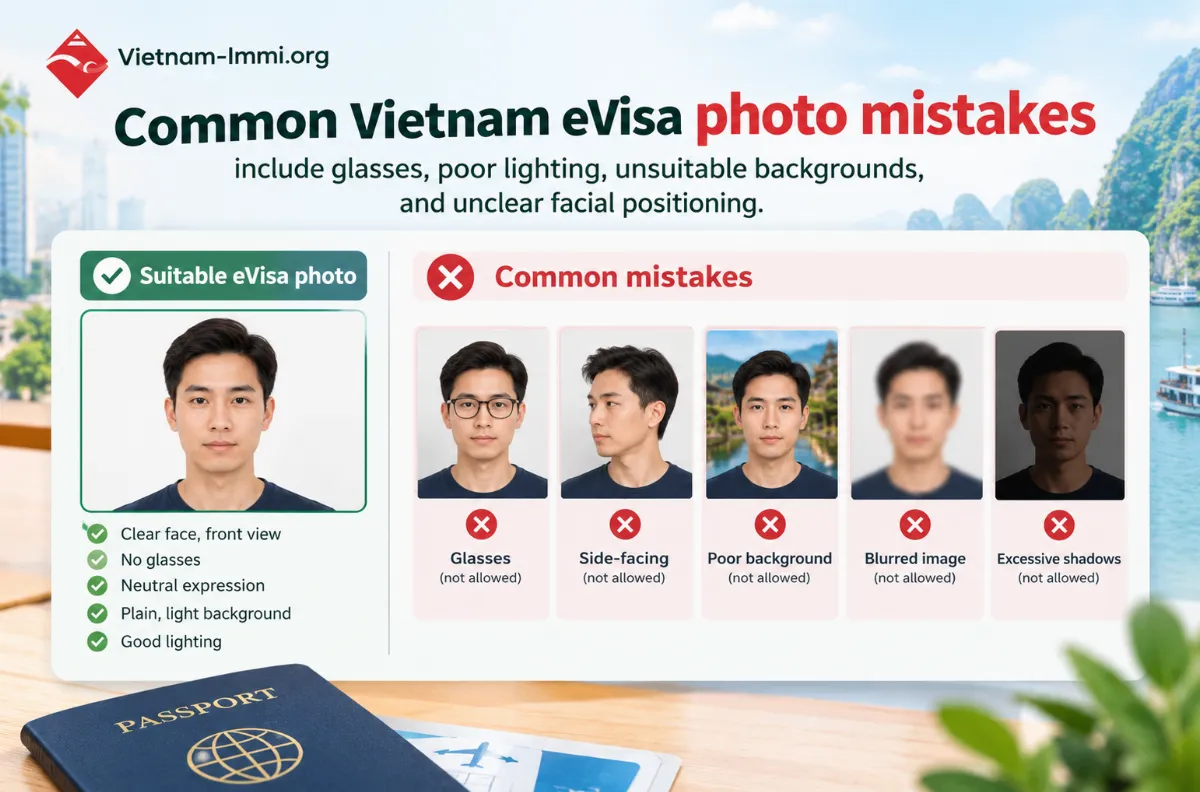
Using a casual selfie
A selfie may have the wrong angle, background, or lighting.
Use a straightforward portrait instead.
Wearing glasses
Glasses can create reflections and obscure the eyes.
Use a photograph without glasses.
Using a colored or busy background
Keep the background simple and clean.
Uploading a blurry image
Do not reduce image quality too much just to make the file smaller.
Using an old photograph
Your portrait should accurately represent your current appearance.
Overusing AI editing
Do not substantially alter your face simply to make the image look more professional.
Uploading the wrong file
Before clicking submit, confirm:
Portrait field → your face photograph
Passport field → passport biodata page
Assuming every amendment is a photo problem
An amendment may concern your passport or travel information instead.
Always read the specific request.
How to Take a Better Vietnam eVisa Photo at Home
You do not necessarily need to visit a professional photographer.
A simple setup can work if you control the lighting, background, and camera position.
Use even lighting
Choose a bright location where light falls evenly across your face.
Avoid strong light directly behind you.
Also avoid harsh shadows across your face.
Keep the camera at eye level
Position the camera approximately at eye level.
Do not hold the phone significantly above or below your face.
Look directly at the camera.
Use a simple background
A plain white wall is usually easier than trying to remove a complicated background digitally.
Keep the original photograph
Save the original high-quality photograph.
Then create a separate copy for resizing or compression.
This gives you a better-quality original if you need to prepare another version.
What If the Photo Is Accepted but My eVisa Is Still Pending?
A successful photo upload does not mean that the complete eVisa application has been approved.
The photograph is only one part of the application.
If the photo has been accepted but your application remains pending, check the application status and review the information you submitted.
Do not keep changing the photograph if there is no indication that the photo is causing the delay.
For a separate pending-application situation, see:
Vietnam eVisa Taking Longer Than Expected? What Should You Do?
Frequently Asked Questions (FAQ)
What are the Vietnam eVisa photo requirements?
The current Vietnam-Immi.org guidance recommends a recent 4 × 6 cm JPG/JPEG portrait with a clear face, white background, straight-facing position, and no glasses.
Can I wear glasses in my Vietnam eVisa photo?
It is recommended to remove glasses. The applicable eVisa photo guidance specifies a portrait without glasses.
Can I use a selfie for my Vietnam eVisa?
A casual selfie may not be suitable if the angle, background, lighting, or framing does not meet the requirements. A straightforward front-facing portrait is preferable.
Why was my Vietnam eVisa photo rejected?
Common problems include unsuitable background, glasses, poor lighting, blurry images, incorrect framing, unsuitable file specifications, and excessive editing.
What does “Amendment Required” mean?
It means that the application requires a correction or update. The issue may concern the portrait, passport information, entry information, or another application field.
Should I submit the same photo again after it is rejected?
If the photograph itself is identified as the problem, prepare a new compliant photograph rather than repeatedly submitting the same image.
Do I need a new eVisa application if my photo is incorrect?
Not automatically. If you have not submitted the application, correct the photo and review the form. If the application has already been submitted, check the current status and requested action first.
What if my flight is tomorrow and my eVisa photo has a problem?
Check the application status immediately, identify the exact issue, prepare the correct documents, and review available urgent options. Avoid waiting until airport check-in to resolve the problem.
Whether you need a fast visa, airport fast track, private car, or eSIM, Vietnam-Immi.org is here 24/7 to support your trip.
-
WhatsApp: +84379522522
-
Hotline: +84.379.522.522
-
Email: sales@vietnam-immi.org