English
 简体中文
 VIETNAM-IMMI.ORG


Last Updated: Wednesday, September 23, 2026
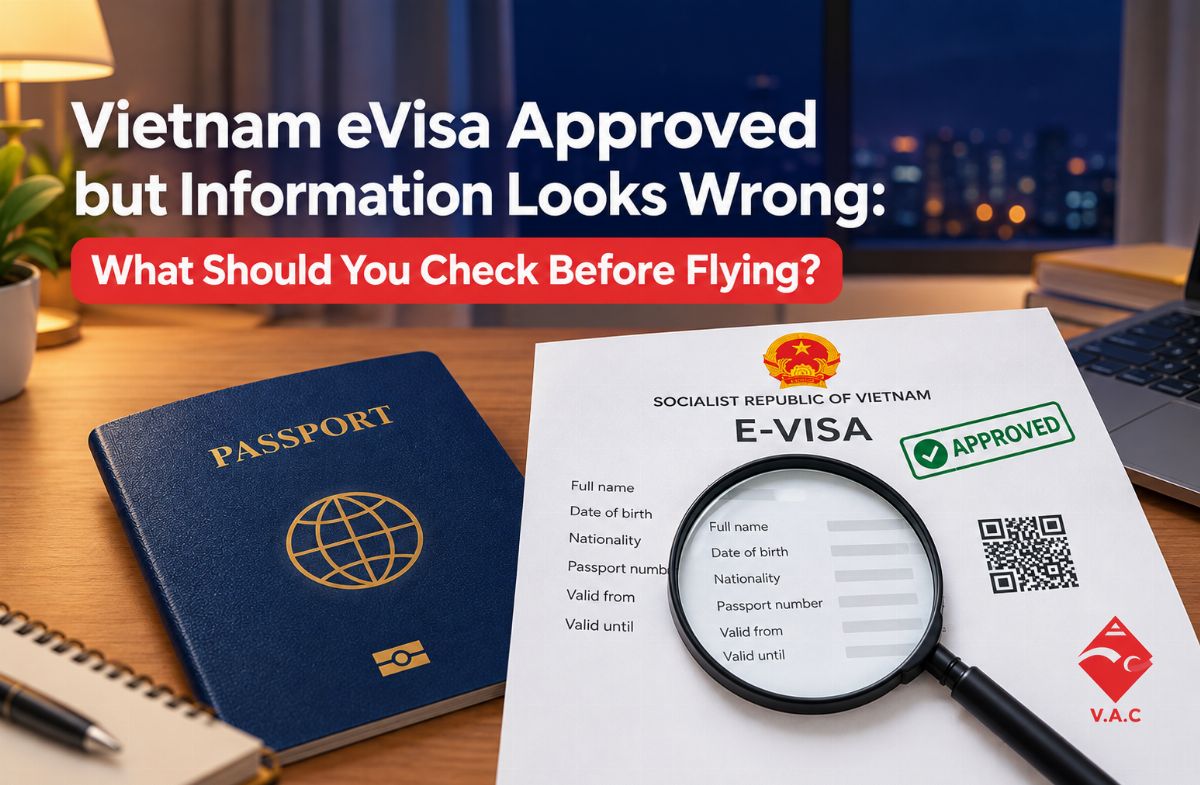
Discovering an error on your approved Vietnam eVisa right before departure is an extremely stressful experience. If any field on your visa PDF—such as your name order, passport number, or entry port—does not match your physical passport and travel itinerary, airlines will deny you boarding at the departure gate, or border officers will turn you back upon landing.
In almost all cases, an issued Vietnam eVisa cannot be manually edited or updated after approval. You must verify every data field character-by-character against your physical passport before traveling. If a critical mismatch exists, you must submit a fresh application or request an emergency visa update prior to your flight.
Key Takeaways
-
Strict Matching: Your full name, passport number, date of birth, and nationality must match your passport's Machine Readable Zone (MRZ) 100%.
-
No Manual Edits: The official immigration system does not allow self-editing on an already issued eVisa PDF.
-
Critical vs. Non-Critical: Passport number, name, and DOB errors cause mandatory boarding denial. Entry port flexibility allows minor variations, provided the port accepts eVisas.
-
Immediate Action Needed: If an error is found, do not travel hoping it goes unnoticed. Submit a corrected application or use an urgent processing service.
What Does "Information Looks Wrong" on a Vietnam eVisa Mean?
When an e-Visa is issued, the system generates a digital PDF containing data pulled directly from the fields entered during the application process. An error means there is a clear discrepancy between the printed electronic visa and your official travel documents.
Even if your status shows "Approved," airline check-in software automatically scans your passport's MRZ barcode against your eVisa details. Any typo triggers an instant red flag, preventing baggage check-in and boarding pass issuance.
Why Does Your Approved Vietnam eVisa Have Wrong Information?
Understanding how discrepancies occur helps determine the fastest path to fix them:
Auto-Fill and Manual Data Entry Typos
Browser auto-fill tools frequently mix up given names and surnames, transpose dates (switching day and month), or swap the number "0" with the capital letter "O" in passport numbers.
Name Order Mismatches
Western and Asian naming structures differ. Omitting middle names printed on your passport bio-page or reversing your first and last names creates an immediate mismatch during automated airport scans.
Passport Renewal During Application
Applying for a Vietnam eVisa using an old passport number and then traveling with a newly issued physical passport will result in immediate rejection at check-in, as the document numbers will not align.
How to Check Your Vietnam eVisa Entry Information Before Travel
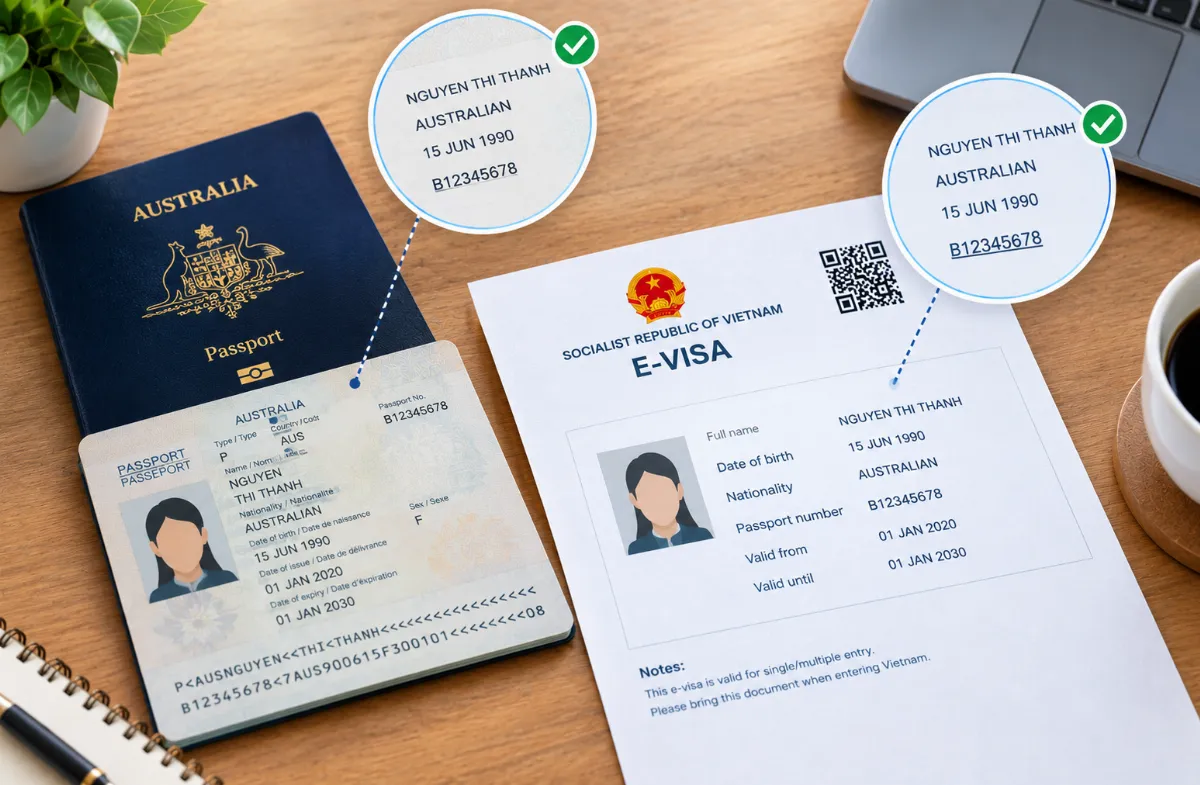
Place your physical passport side-by-side with your printed Vietnam eVisa and inspect these primary fields:
-
Full Name: Ensure your Surname, Given Names, and Middle Names match the exact sequence printed on your passport bio-page.
-
Passport Number: Verify every alphanumeric character. Pay close attention to numbers and letters that look alike.
-
Date of Birth & Expiry Date: Check for transposed days and months.
-
Visa Validity Dates: Confirm that your planned arrival date falls on or after the "Valid From" date listed on your eVisa.
-
Entry Port: Check the designated checkpoint listed on your document.
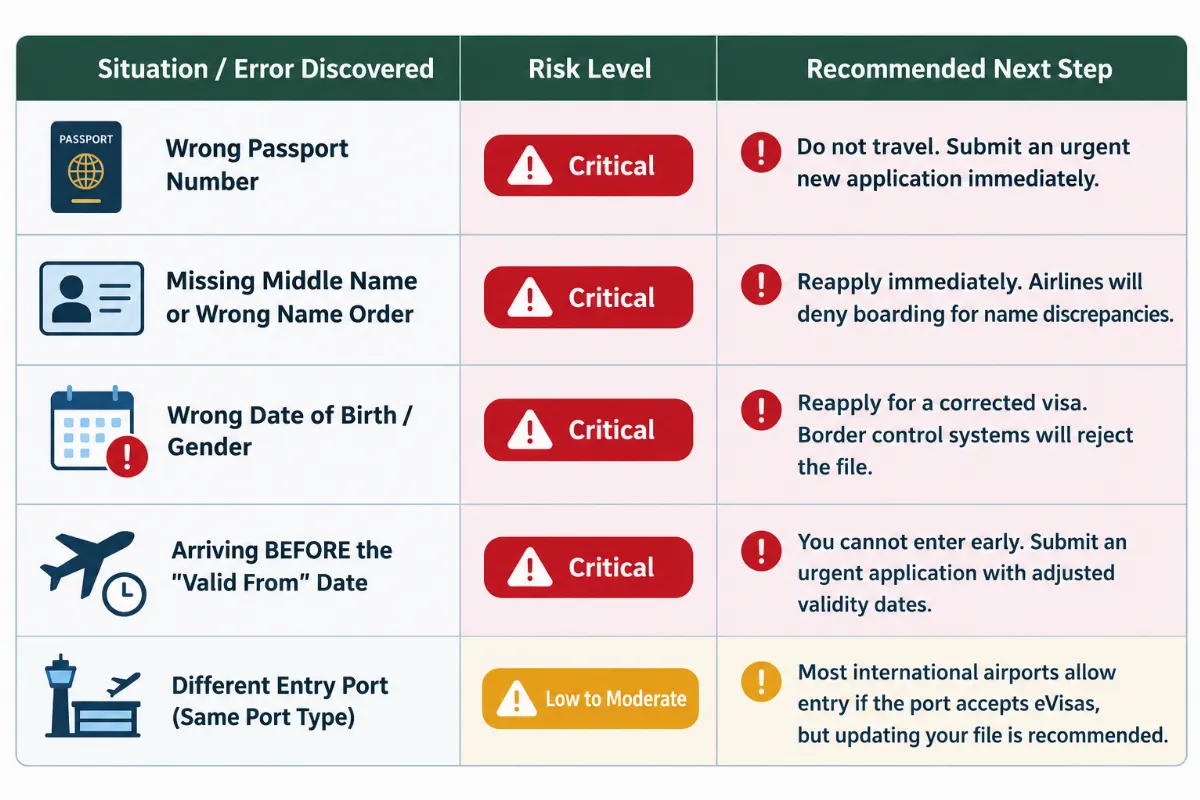
Decision Table: How to Handle Specific eVisa Errors
Use this decision guide to determine your next action based on your specific situation:
Need an urgent document review? Don't risk being denied boarding at the airport.
What Should You Do If Your Flight Is Soon?
If your flight departs in less than 48 hours and you spot a critical error on your Vietnam eVisa, follow these steps:
1. Do Not Attempt to Fly with Major Discrepancies
Airlines are fined heavily for transporting passengers with non-compliant travel documents. Check-in staff will not make exceptions for typos on government-issued eVisas.
2. Submit an Emergency Replacement Application
Standard government applications take 3 to 5 business days. When facing a tight departure deadline, utilize an emergency processing service to generate a new, fully compliant visa in 1 to 4 hours.
Frequently Asked Questions (FAQ)
Can I edit my Vietnam eVisa after it has been approved?
No. Once the Vietnam Immigration Department issues an approved e-Visa PDF, the database record is locked and cannot be edited manually.
What happens if my middle name is missing from my approved eVisa?
If your physical passport includes middle names, omitting them on your eVisa creates an official name mismatch. Most airlines will deny boarding until a replacement visa including your full legal name is provided.
Can I enter Vietnam earlier than the "Valid From" date on my eVisa?
No. You cannot enter Vietnam before the starting date specified on your approved visa PDF. If your travel plans change to an earlier date, you must apply for a new visa covering your revised arrival date.
Is a typo in my passport expiration date considered a critical error?
Yes. Immigration authorities and airlines verify your passport's expiration date to ensure it meets the 6-month validity rule upon entry. Any discrepancy can trigger boarding denial.
What if I selected the wrong entry port on my application?
In most cases, if you arrive at a major international airport (such as Hanoi, Ho Chi Minh City, or Da Nang), immigration officers will accept your eVisa as long as the port processes electronic visas. However, changing entry modes (e.g., switching from an airport arrival to a land border crossing) requires a new visa.
Whether you need a fast visa, airport fast track, private car, or eSIM, Vietnam-Immi.org is here 24/7 to support your trip.
-
WhatsApp: +84379522522
-
Hotline: +84.379.522.522
-
Email: sales@vietnam-immi.org