English
 简体中文
 VIETNAM-IMMI.ORG


Last Update: Saturday January 31, 2026
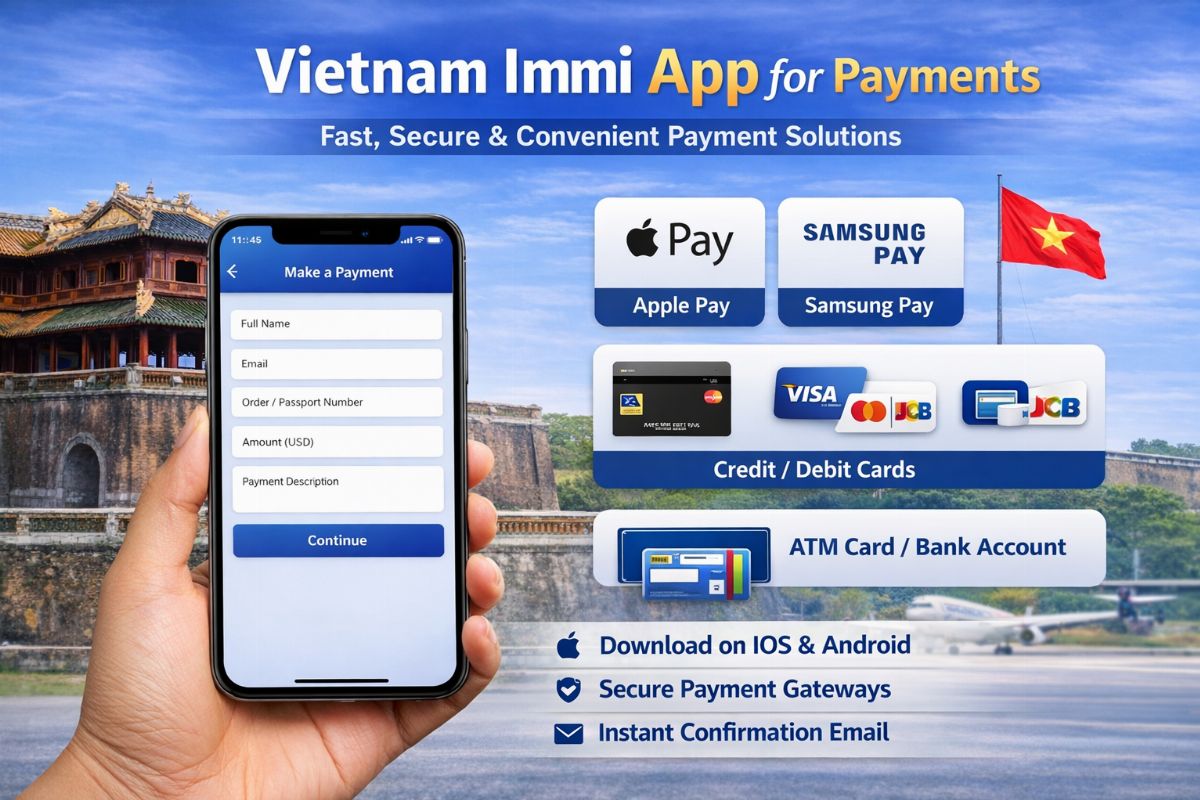
Making payments for Vietnam immigration services is simple and convenient with the Vietnam Immi mobile app. Designed for international travelers, the app allows users to complete payments securely in just a few minutes using trusted payment methods on both iOS and Android devices.
This guide explains the full payment process step by step, from accessing the payment section to receiving confirmation. Whether you are paying for a visa application, urgent processing, or another immigration service, the process is clear and easy to follow.
Key Takeaways
- The Vietnam Immi mobile app offers a secure and convenient way to make payments on both iOS and Android devices.
- Users can choose from Apple Pay, Samsung Pay, credit or debit cards, ATM card or bank account payments, and PayPal.
- With instant in-app confirmation and email receipts, managing immigration-related payments is simple and reliable.
Why Use the Vietnam Immi App for Payments?
Using the Vietnam Immi app for payments removes the need for manual bank transfers or email-based payment instructions. All transactions are handled directly within the app, helping ensure accuracy, speed, and transparency.
Key benefits include secure payment processing, multiple payment options, instant confirmation, and automatic email receipts for record keeping.
Downloading the Vietnam Immi Mobile App
To begin, download the Vietnam Immi mobile app from the official app stores:
For detailed instructions, please refer to the official guide here: How to Download the Vietnam Immi Mobile App (iOS & Android)
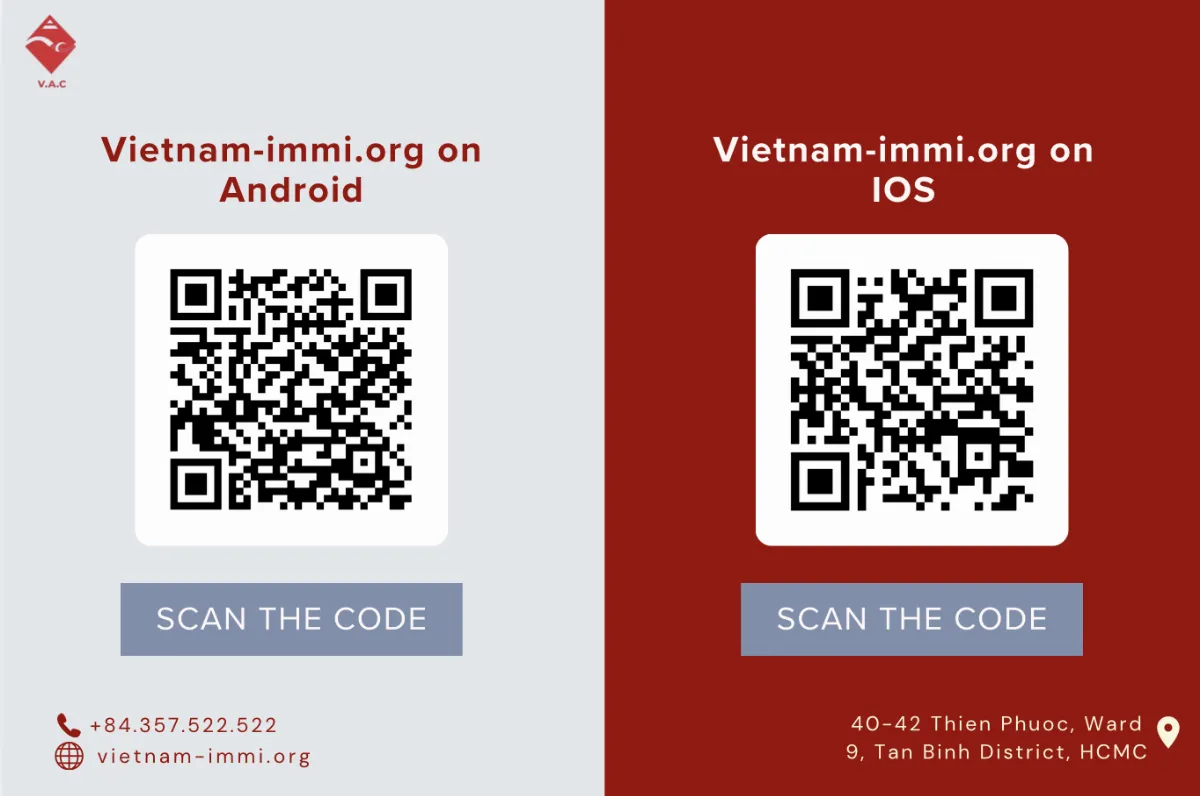
Once installed, open the app and sign in to your account.
Accessing the Payment Section in the App
After logging in, go to the My Orders section and select Payment Online - Make a Payment. This section is dedicated to handling payments related to visa applications and other immigration.
services.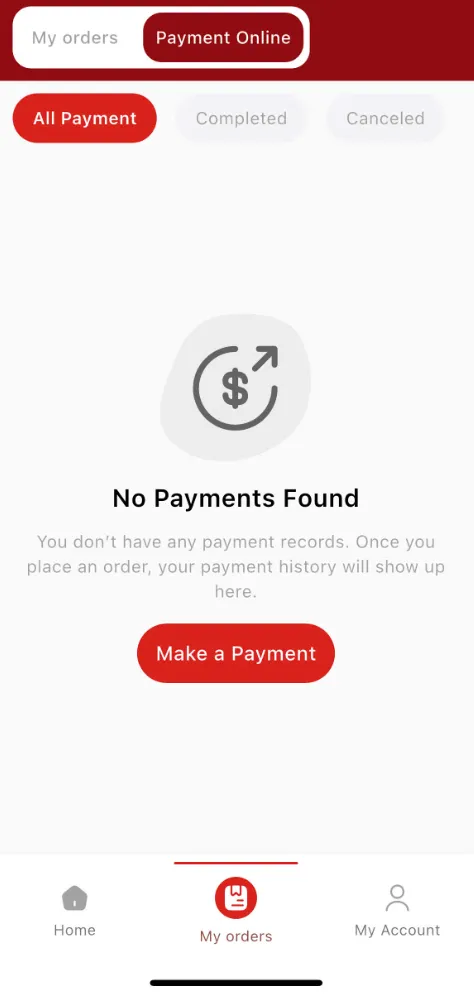
Choosing a Payment Method
Once the form is completed, the app will display available payment methods. You can choose the option that best fits your preference and location.
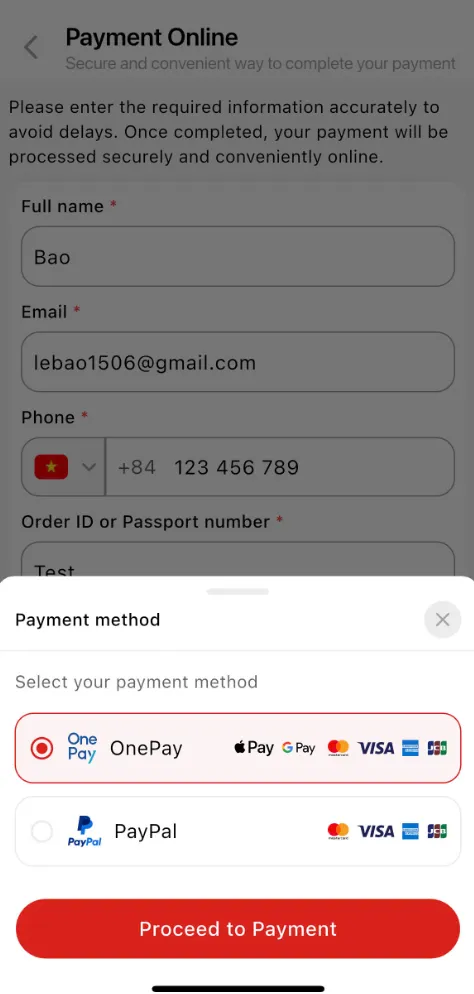
Paying with OnePay
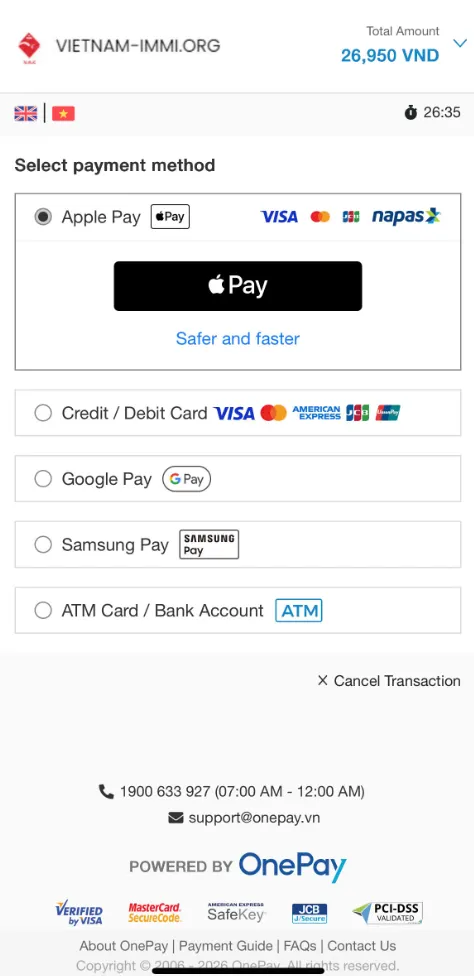
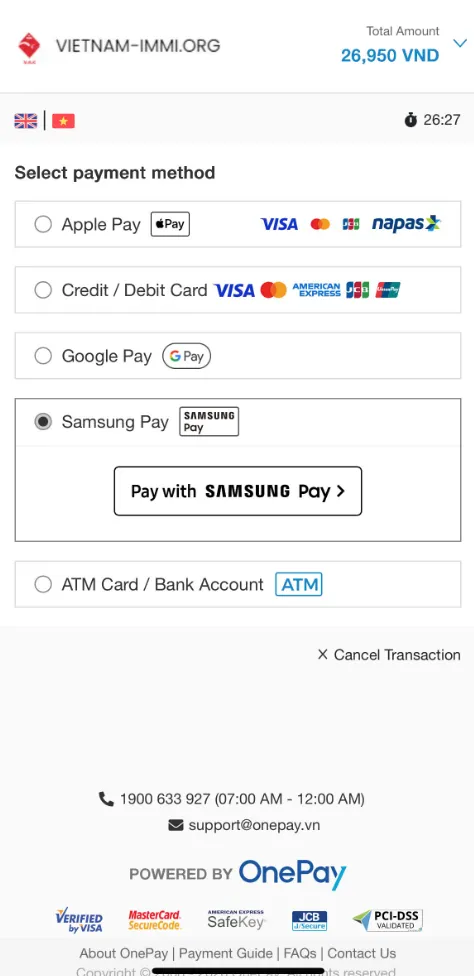
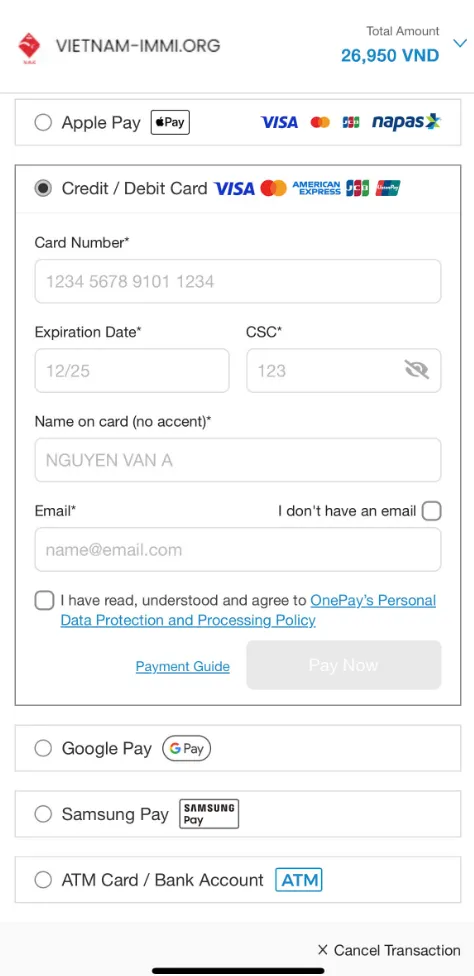
OnePay is the main payment gateway used in the Vietnam Immi app. It supports multiple modern and traditional payment options, including:
-
Apple Pay
-
Samsung Pay
-
Credit cards (Visa, Mastercard, American Express, JCB)
-
Debit cards
-
ATM card or bank account payments (subject to bank availability)
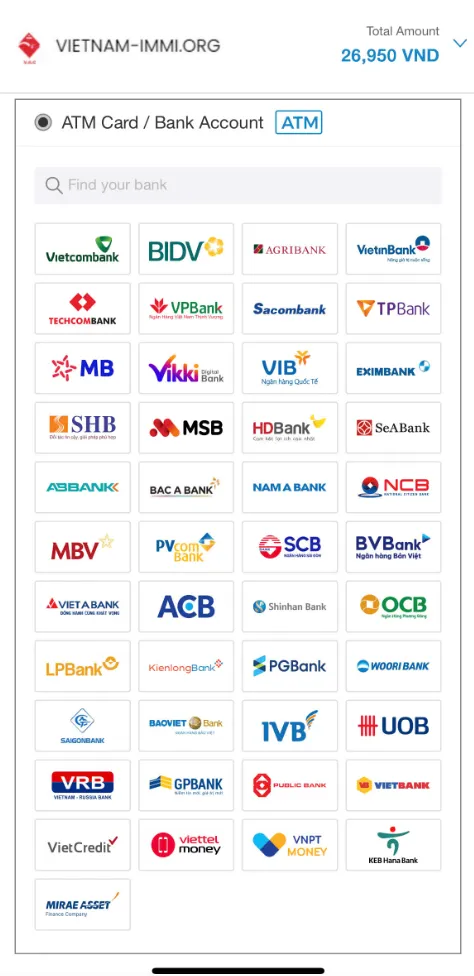
This option is suitable for users who want a flexible and widely accepted payment solution.
Paying with PayPal
PayPal provides a familiar and trusted checkout experience. Users can log in to their PayPal account or pay directly with a linked card.
Supported card types through PayPal include Visa, Mastercard, American Express, and JCB. This option is ideal for users who prefer additional payment protection or already use PayPal for international transactions.
Completing the Payment Securely
After selecting your preferred payment method, enter your payment details, review the transaction information, and confirm the payment. All payments are processed through encrypted and secure systems to protect your financial information.
Payment Confirmation and Email Receipt
Once the payment is successfully completed, a confirmation message will appear directly in the app, indicating that the transaction has been processed.
A payment confirmation email will also be sent to the email address you provided. This email usually includes a payment reference number, the amount paid, the transaction date and time, and a description of the service. It is recommended to keep this email for future reference or support inquiries.
Tips for a Smooth Payment Experience
To avoid issues during payment, ensure your card or bank account is enabled for online or international transactions, use the same email address as your application when possible, and avoid closing or refreshing the app during payment processing. If you do not receive a confirmation email, check your spam folder or contact Vietnam Immi support with your order or passport number.
Whether you need a fast visa, airport fast track, private car, or eSIM, Vietnam-Immi.org is here 24/7 to support your trip.
Whatsapp: +84379522522
Hotline: +84.379.522.522
Email: sales@vietnam-immi.org